Text a receipt. Done.
No app. No login. No QuickBooks learning curve.
Receipts sent straight to QuickBooks Online
Expenses • Bills • Credit Card Credit • Vendor Credit
No app. No login. No QuickBooks learning curve.
Receipts sent straight to QuickBooks Online
Expenses • Bills • Credit Card Credit • Vendor Credit
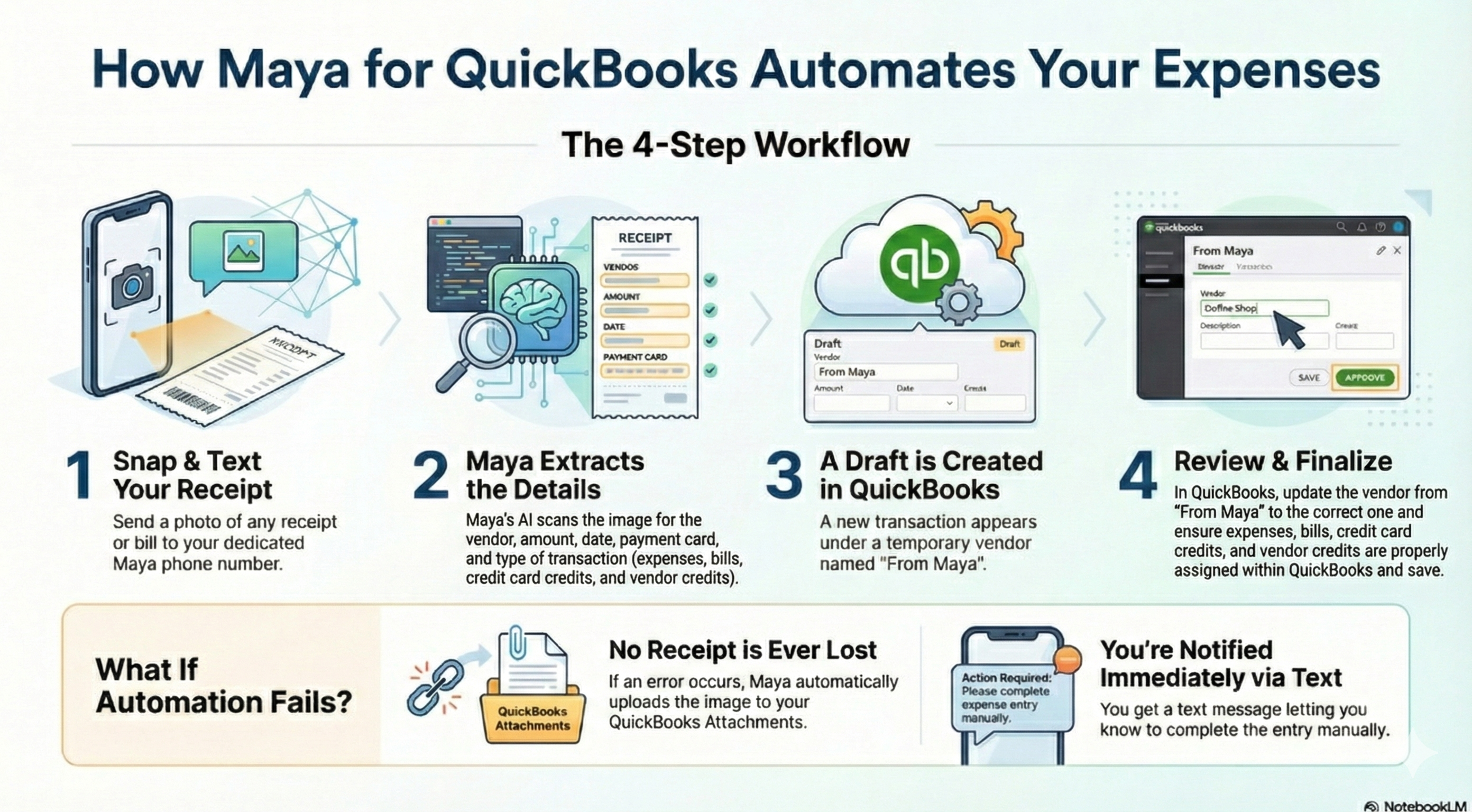
Take a photo. Text it to your Maya number. Maya's AI creates a draft in QuickBooks. You just approve.
Watch how Maya takes receipts from your wallet to your books in 4 simple steps.
Your crew can text receipts from job sites. No app to download, no portal to log into. They take a photo at the supply store and text it. Done.
Field workers send receipts in real-time. Whether they're at a client site or driving between jobs, Maya works anywhere they have their phone.
If your team hates expense apps, they'll actually use this one. Because it's not really an app—it's just a text message.
Every other expense app makes you download software, create accounts, train your team, and remind people to submit receipts. Maya doesn't.
Maya works via text. No app store, no updates, no "please enable notifications."
Just text receipts to the company's Maya number. That's it.
If they can text, they can use Maya. There's nothing to learn.
Take the photo, send it immediately. No "I'll do it later when I'm back at my desk."
Maya creates the draft in QuickBooks in seconds. You just approve it.
Maya uses a deterministic document classifier—basically, an AI that knows what it's looking at. It analyzes every receipt for proof predicates: Is this an expense? A bill? A credit card charge? A vendor credit?
Then it extracts everything: vendor name, amount, date, payment method, transaction type. Based on what it finds, Maya creates the right kind of draft transaction in QuickBooks.
The classifier uses a specificity hierarchy. If a receipt could be multiple things, Maya picks the most specific match. And if it's not confident? It uploads the image to QuickBooks Attachments and texts you to handle it manually. No receipt ever gets lost.
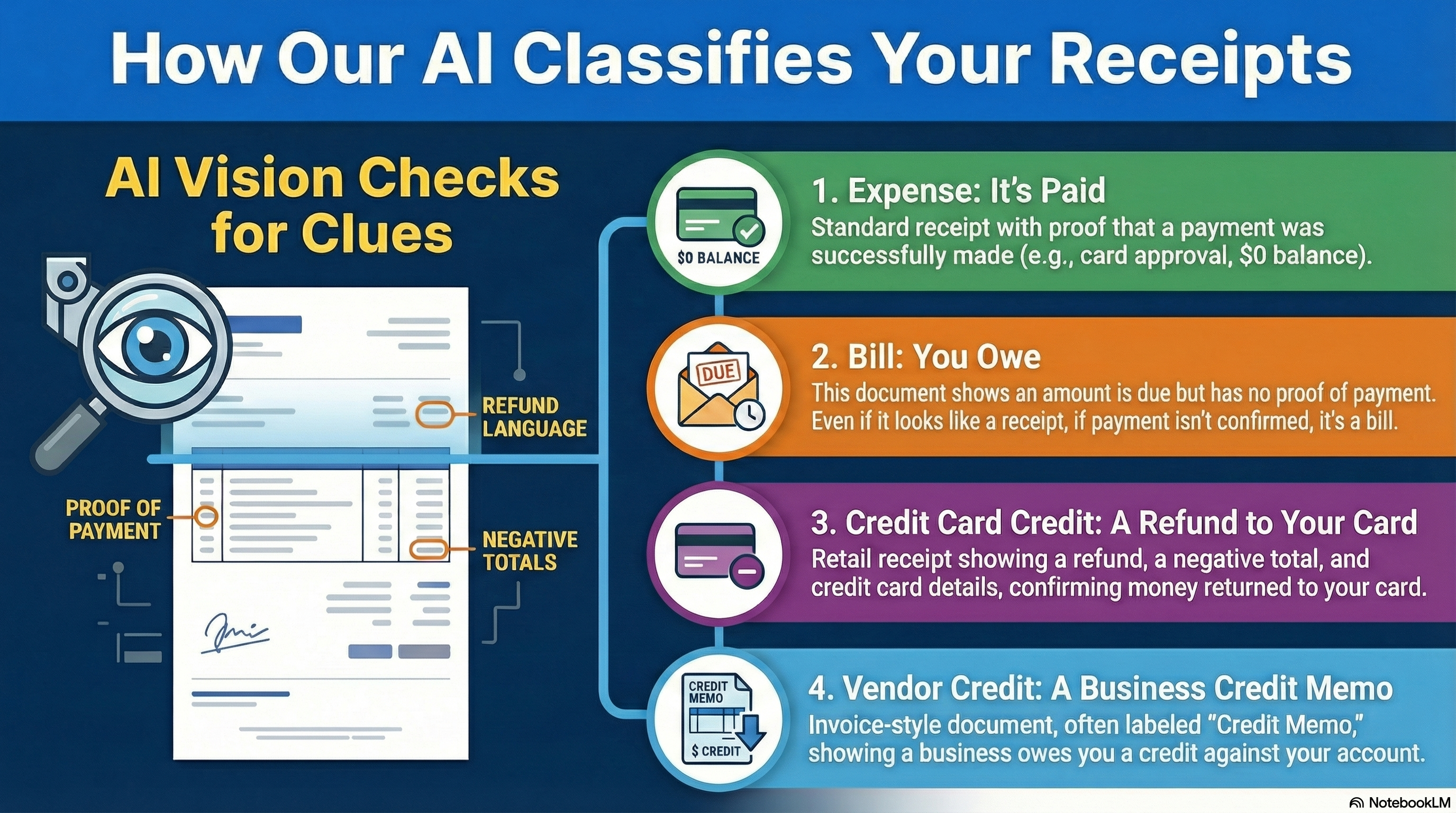
No receipt is ever lost. If Maya can't confidently process a receipt, it uploads the image to your QuickBooks Attachments and texts you to complete the entry manually. You always have the original, and you're always in control of what gets approved.
We're finalizing pricing details. Sign up below to be notified when we launch.
Have questions? Email us
Join the waitlist and be the first to know when we launch.